
How To Track "Paddle Raise" Donations
Learn how to record and track paddle raise donations in Auctria.
There are two ways to record paddle raise donations in Auctria — as simple cash donations, or as donations tied to specific Donation Items at preset levels.
Option 1 — Cash Donations
To record a straight cash donation, go to Bidding/Sales and select the Donation tab. Enter the bidder and the amount. See Donations Dashboard for more details.
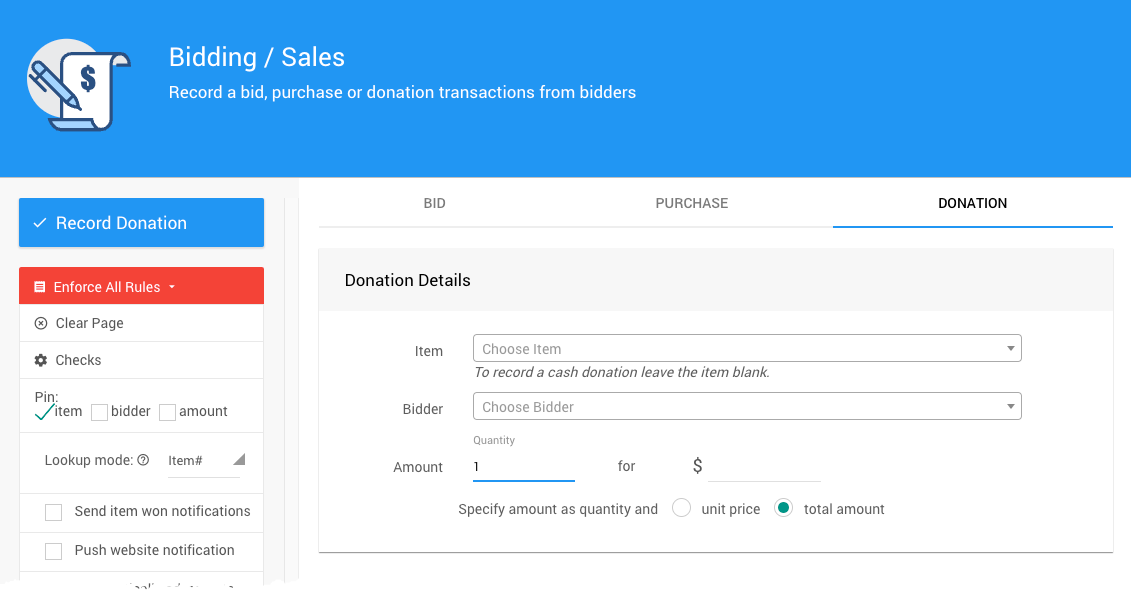
Cash donations appear on the bidder's statement under the Donations section.
Option 2 — Donation Items at Specific Levels
If your paddle raise has set donation levels, create a Donation Item for each level with its value set to the donation amount. Using meaningful item numbers — for example, PADDLE50, PADDLE100, PADDLE250, and PADDLE500 — makes them easy to find quickly during the event.
On the Donation tab of the Bidding/Sales page, selecting the item number will automatically populate the donation amount.
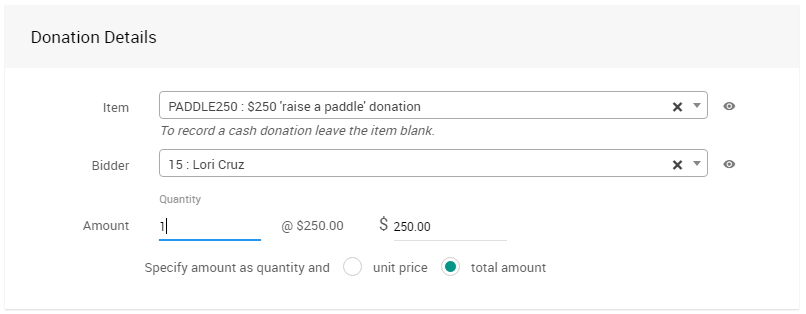
Recording Multiple Donations for the Same Item
If you're entering a list of donations all at the same level, enable the Pin item checkbox to keep the item selected between entries — this prevents it from clearing after each recorded donation.
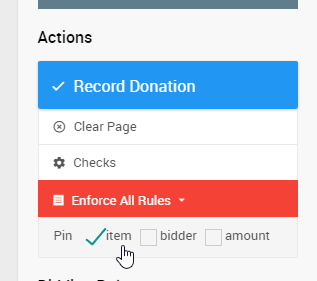
Last reviewed: April 2026