
Taxable Value
Learn how to configure the Taxable Value field to accurately reflect the tax-deductible portion of auction items on participant statements.
If you are a registered charity, bidders may be eligible to claim a tax deduction for their purchases or donations. Auctria's Taxable Value field lets you control how the tax-deductible amount is calculated and displayed on Participant Statements.
Showing Tax Deductible Amounts
The Participant Statements can be configured to display a Tax Deductible column for each item. This is disabled by default.
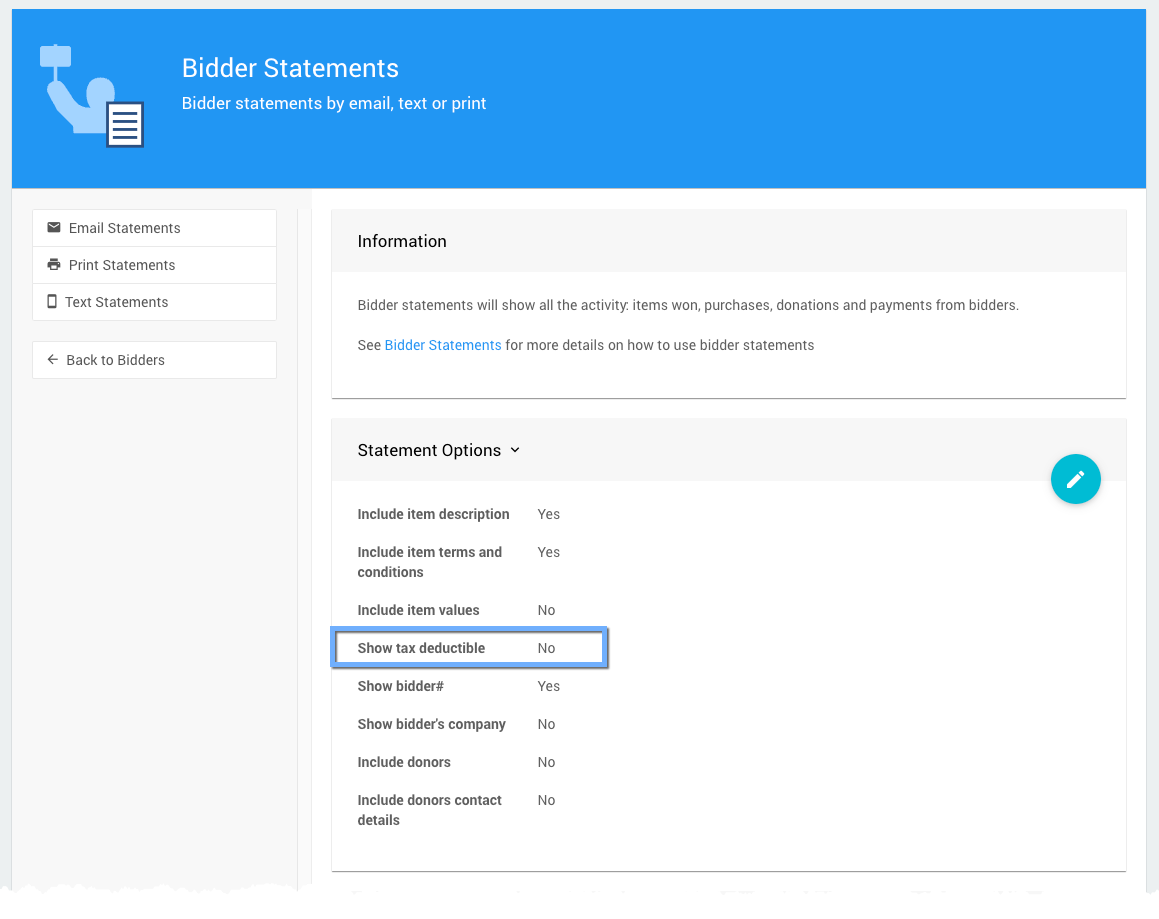
By default, the tax-deductible amount is the amount by which the bid or purchase price exceeds the item's Value — except for Donation Items, where the full amount is always treated as tax-deductible.
Taxable Value Field
The Taxable Value field lets you override the default calculation for a specific item. The following special values are also supported:
| Value | Effect |
|---|---|
| Blank (default) | Treated as 0 — uses the item's Value for the calculation. |
| A specific amount | Any bid or purchase in excess of this amount is shown as tax-deductible. |
-1 (Priceless) | The item is treated as fully tax-deductible. |
-2 (Donation Items only) | The item is marked as non-deductible on participant statements. |
Taxable Value and Coupon Codes
The Taxable Value is a fixed amount and is not reduced when a coupon code is applied — unless the discounted price falls below the Taxable Value amount.
Example
A gala ticket is priced at $200, but only $75 of that is tax-deductible. To configure this correctly:
- Create the item as a For Sale item with a Value of
$200. - Set the Taxable Value to
$125.
A participant purchasing the ticket for $200 will see a tax-deductible amount of $75 on their statement ($200 - $125 = $75).
See What Is Taxable Value Used For? for more information.
Last reviewed: April 2026