
On This Page
Sales Tax Mode
Learn how to change the Sales Tax mode between Exclusive and Inclusive in Auctria.
Sales Tax in Auctria can be calculated in one of two modes:
| Mode | Description |
|---|---|
| Exclusive | Sales tax is calculated on top of the bid amount and added to the participant's total. |
| Inclusive | Sales tax is included within the participant's total amount rather than added on top. |
One Mode for All Items
The Sales Tax mode applies to all items in the event — you cannot set different modes for different items.
Changing the Sales Tax Mode
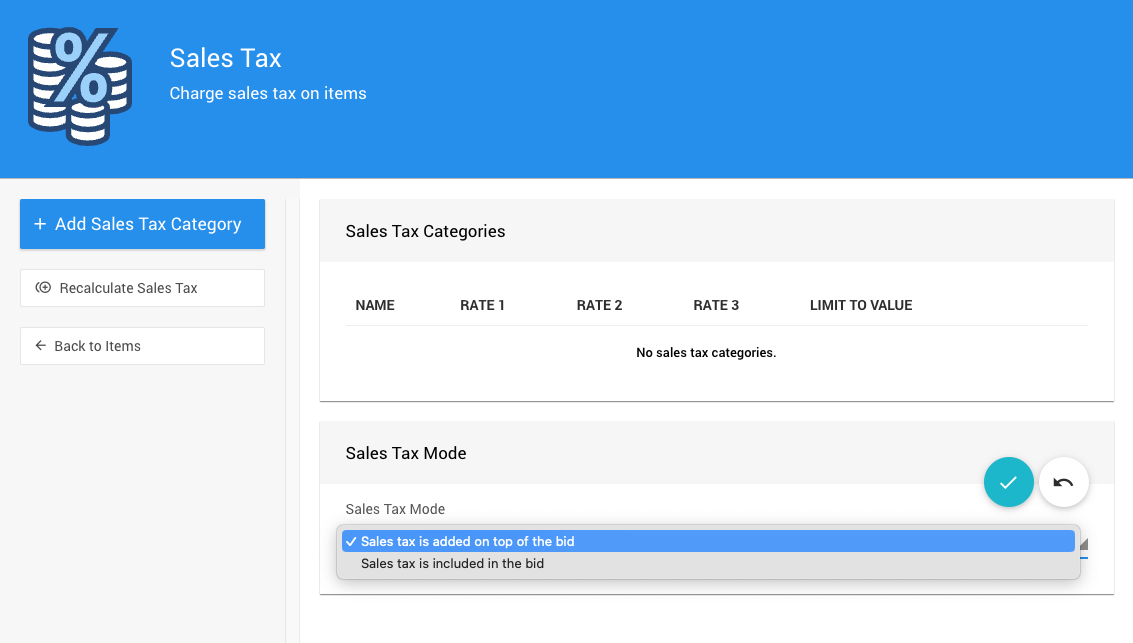
From the main Event Dashboard, click Items (left sidebar, Details) Sales Tax to open the Sales Tax dashboard. The current mode is displayed on the dashboard.
To change it, click the Edit icon (blue pencil), then click the mode field to open the drop-down selector and choose the mode you want. Click the Save icon (check mark) to apply the change.
Last reviewed: April 2026